

Planning Diwali gifts for your clients, partners, or employees?
We’ll help you choose Diwali gifts that fit your budget and brand—quick, simple, and hassle-free. Just reach out to our team and we’ll take care of the rest.
 4.8 out of 5 ★★★★★ by 1100+ brands
 Hiring someone new is just the beginning. What truly shapes their journey is what happens next, i.e., employee onboarding.
In this guide, we break down a clear 10-step onboarding process that helps your new hires feel prepared, valued, and aligned with your company from day one.
You’ll also discover how the right welcome kit, designed with TapWell, can turn that first day of your new hire into a memorable start.
Table of Contents
What is employee onboarding?
Employee onboarding is the process of welcoming and integrating a new hire into an organisation. It includes everything from completing paperwork and setting up tools to introducing the company’s culture, team, and role expectations. A strong onboarding experience helps new employees feel confident, connected, and ready to contribute from day one.
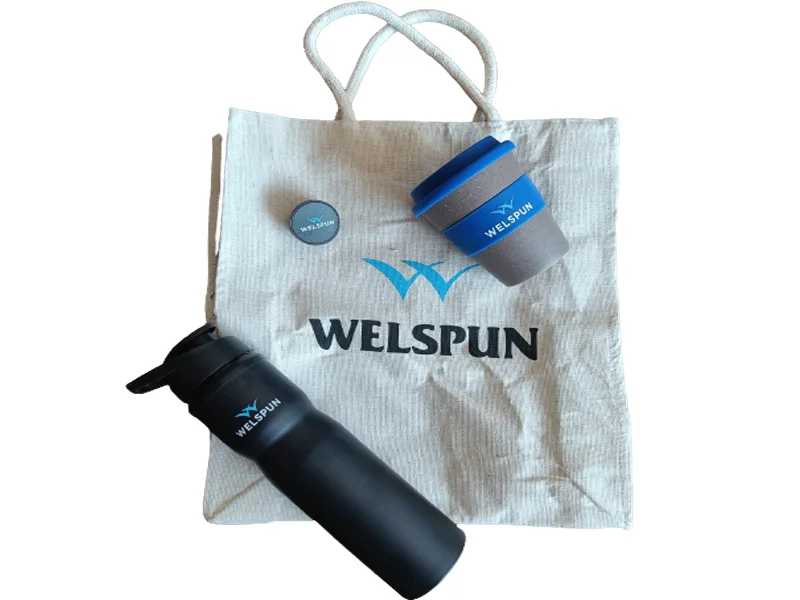
For example, we designed and delivered sustainable employee welcome kits for Welspun.
It transformed their onboarding experience, delivering useful, branded items that were high on value yet budget-friendly. The result: new hires felt instantly appreciated, and Welspun maintained quality without compromising on cost.
10-step employee onboarding process flow
A smooth onboarding process sets the foundation for long-term employee success. Below is a step-by-step guide to help new hires feel welcomed, prepared, and engaged from the very beginning.
Step 1: Preboarding
Timing: 5 to 7 days before the joining date
Why it matters:
Preboarding gives the employee a strong start by removing first-day confusion and reducing nervousness. It shows that the company is organised and ready to support them.
This early engagement helps the employee feel welcome, builds trust, and sets the tone for a smooth onboarding experience. It also gives the company time to prepare systems and logistics without last-minute stress.
What to do:
After the employee signs the offer letter, reach out with a friendly and detailed welcome email. Clearly explain what will happen on their first day, who they should contact for help, and what information they need to send before joining.
You can also assign a team buddy who will act as a support system during their early days. Behind the scenes, work with your IT and admin teams to prepare their laptop, access credentials, and communication tools.
Includes:
- A detailed welcome email that outlines the date of joining, reporting time, location or video link, dress code, and the name and contact details of their onboarding coordinator
- A digital joining kit that explains the company’s mission, values, team structure, workplace etiquette, and basic HR policies in simple, easy-to-understand language
- Pre-joining tasks, such as submitting identification, completing background verification, and sharing bank details for salary processing
- Set up of digital tools and access, including their work laptop, email account, employee portal login, and access to team communication platforms.
- Assignment of a team buddy or mentor, who will introduce the employee to day-to-day workflows, team habits, and help them adjust socially and professionally
- A thoughtful welcome gift, such as a company-branded notebook, t-shirt, or snack box, to add a personal touch and make the employee feel valued from the very beginning
Step 2: First Day Welcome
Timing: Day 1
Why it matters:
The first day creates a lasting impression. A warm, well-planned welcome helps the employee feel comfortable and confident. It shows that the company values their presence and is ready to support them from the very beginning. A smooth first day can turn nervousness into excitement and build immediate trust in the company’s culture.
What to do:
Start the day with a friendly greeting and make sure the employee knows what their schedule looks like. You will introduce them to their team members and let them know who does what.
Companies must give their new employees time to settle into their workspace and explore basic tools or systems. Also, share an agenda for the day, and keep things relaxed so they don’t feel overwhelmed.
Includes:
- A clear first-day schedule that outlines welcome activities, team meetings, and setup time
- A personal introduction from HR or the team manager, either in person or via a video call
- Icebreaker sessions or informal chats to help the employee start building relationships
- A short office tour or virtual walkthrough to explain facilities, tools, or platforms
💡 Related resources
- Best Gift Boxes For Remote Employees
- Top Employee Award Titles [With Tips & Examples]
- Employee Engagement Activities For Employees
Step 3: Orientation Session
Timing: Within the first 2–3 days
Why it matters:
Orientation gives the employee a big-picture view of the company they’ve joined. It connects their role to the company’s mission, introduces core values, and explains how the organisation is structured. Without orientation, new hires may feel disconnected or unsure about how things work in your company.
What to do:
You must organise a formal orientation session for new hires, ideally led by someone from HR or leadership. Walk the employee through the company’s story, values, culture, and basic policies.
This is also the right time to explain benefits, leaves, and expected behaviour. Keep the session interactive so the employee feels encouraged to ask questions and engage with the material.
Includes:
- A live or recorded presentation about the company’s history, leadership, and vision
- A simple explanation of workplace policies, HR support, and internal tools
- An overview of employee benefits, health plans, leave structure, and safety policies
- A session that encourages questions, feedback, and two-way conversation
- Clear communication about how to find help or resources later
Step 4: Role-Specific Training
Timing: Within the first week
Why it matters:
General orientation tells employees about the company, but role-specific training shows them exactly how to do their job. It builds confidence, prevents early mistakes, and shortens the learning curve. Without it, employees may feel lost or insecure in their role.
What to do:
Design a training schedule focused on the tools, workflows, and responsibilities of the employee’s specific job. Introduce the new hire to their team’s projects, systems, and goals.
You must provide documentation, videos, or live demos that break down tasks step-by-step. Give them small assignments or practice tasks to build hands-on experience in a safe environment.
Includes:
- A customised training plan tailored to the employee’s role and level
- Practical demos or tutorials of tools and platforms they’ll use daily
- Step-by-step guides, SOPs, or checklists that explain recurring tasks
- Support from a trainer, mentor, or senior team member during practice tasks
- Progress checkpoints or feedback sessions to ensure they’re picking things up
Step 5: Meet the Manager
Timing: Between Day 2 and Day 5
Why it matters:
A one-on-one conversation with their manager helps the new employee feel supported and clear about what’s expected. It builds a working relationship early and sets the tone for ongoing communication, coaching, and accountability.
What to do:
Set aside time for a relaxed but focused meeting between the employee and their direct manager. Use this meeting to discuss the employee’s initial goals, what success looks like, and how they’ll receive feedback. It’s also a good time for the manager to ask what kind of support the employee prefers and how they like to communicate.
Includes:
- A scheduled one-on-one meeting in a quiet, non-rushed setting
- A clear discussion of the employee’s 30-60-90 day goals and team priorities
- An explanation of performance expectations, review cycles, and KPIs
- Space for the employee to ask questions and share concerns or ideas
- Agreement on how often they’ll meet for check-ins or coaching
Step 6: Tools and Systems Setup
Timing: Within the first week
Why it matters:
Employees can’t do their jobs effectively if they don’t have access to the right tools. Delays in setup can make them feel unproductive or isolated, especially in remote settings. Early access to systems builds momentum and allows them to start contributing with confidence.
What to do:
Ensure that all systems the employee will use are set up and tested before or on their first day. These include email, messaging apps, project management tools, HR portals, and shared folders. Guide them through how to use these tools and check if everything is working correctly. Provide login credentials, security instructions, and contact information in case they need help accessing anything.
Includes:
- A working laptop or desktop configured with all required apps, software, and permissions.
- Login credentials for email, calendar, internal chat platforms, and file storage
- Access to the company intranet, HR systems, learning platforms, or ticketing tool
- Set up of role-specific software or dashboards used in their department
- A quick onboarding tutorial or IT walkthrough showing how to use the systems
Step 7: Buddy Check-In
Timing: End of Week 1 or start of Week 2
Why it matters:
A buddy makes the transition smoother by providing informal, day-to-day support. New employees often hesitate to ask small questions, and a buddy creates a safe space for learning workplace norms, team behaviour, and simple workflows without fear of judgment.
What to do:
Encourage the buddy to check in with the new employee regularly during the first few weeks. The buddy can help clarify processes, explain unwritten rules, and introduce the employee to colleagues in a more casual way. These early connections reduce anxiety and help the employee feel like part of the team faster.
Includes:
- A short introduction call or meeting between the buddy and the new hire
- Friendly chats that cover informal norms like meeting etiquette, email tone, or lunch breaks
- Support for navigating tools, calendars, or who to reach out to for specific tasks
- Suggestions for team-building activities, groups, or interest clubs
- Encouragement to ask any questions they might hesitate to bring to a manager
Step 8: Initial Feedback & Support
Timing: End of Week 2 or Week 3
Why it matters:
This step shows the employee that their early experience matters and that the company wants to hear from them. It helps identify and fix problems early, whether it’s confusion about the role, lack of clarity on tasks, or missing access to systems.
What to do:
Schedule a short one-on-one check-in between the new employee and either HR or their manager. Ask how they’re feeling, what’s going well, and what’s been confusing. Use their feedback to improve future onboarding and offer additional help where needed. Even if things are going smoothly, the check-in reinforces that you’re invested in their success.
Includes:
- A casual but structured meeting or survey to collect feedback
- Questions about their understanding of the role, clarity of communication, and system access
- An open space for them to share blockers, concerns, or suggestions
- Follow-ups to resolve any issues raised during the session
- Reassurance and encouragement from HR or their manager
Step 9: 30-Day Review
Timing: End of the first month
Why it matters:
The first 30 days give both the employee and the company a chance to reflect on progress. This review provides closure to the initial onboarding phase and opens up a longer-term performance conversation. It helps align expectations, track early wins, and correct course if needed.
What to do:
The manager should conduct a one-on-one review with the employee. Use this conversation to look back on what has been accomplished and forward to what comes next. Provide honest but supportive feedback and listen to how the employee is feeling about their experience so far. Clarify evolving goals, offer coaching, and celebrate small achievements.
Includes:
- A structured review that covers completed training, performance so far, and role clarity
- Feedback from the manager on progress, attitude, and team integration
- A check on how the employee is adapting to the company’s culture and tools
- Opportunity for the employee to reflect on their learning and confidence levels
- Goal-setting for the next 30–60 days to maintain momentum
Step 10: 60–90 Day Integration Review
Timing: End of the second or third month
Why it matters:
This is the final step in onboarding and marks the employee’s full integration into the team. By now, they should feel confident in their role and connected to their team. A final check-in ensures everything is on track and sets the tone for long-term engagement and growth.
What to do:
Conduct a formal integration review where the employee meets with their manager to discuss performance, career direction, and any remaining onboarding feedback. This is a good time to talk about their development goals, training needs, and where they want to grow. The meeting should leave them feeling like a valuable, permanent part of the organisation.
Includes:
- A review of goals achieved in the first 60–90 days and any blockers faced
- Final feedback from the manager on integration, collaboration, and results
- Discussion about future responsibilities, learning paths, or mentorship opportunities
- Feedback from the employee on the full onboarding experience
- Transition to regular performance reviews and team development cycles
What to include in your employee onboarding kit
A thoughtfully designed onboarding kit does more than welcome a new hire; it shapes their first impression, builds emotional connection, and boosts early engagement.
Each item in your welcome kit should serve one of three goals:
- Help the employee feel prepared
- Build an emotional connection
- Reinforce your brand identity
Here’s what to include:
- Onboarding Documents (for clarity and compliance)
- Employee Handbook: Helps new hires understand the company’s mission, policies, values, and workplace rules. It prevents early confusion and builds cultural alignment.
- Policy Pack: Include key policies such as anti-harassment, confidentiality, IT use, and leave policies to ensure early compliance.
- Role-Specific Materials: Provide SOPs, training schedules, or job guides tailored to the employee’s role for a confident start.
- Login Credentials + Access Instructions: Share credentials with clear steps to access email, Slack, HR portals, and other platforms.
- Branded Office Essentials (for belonging and functionality)
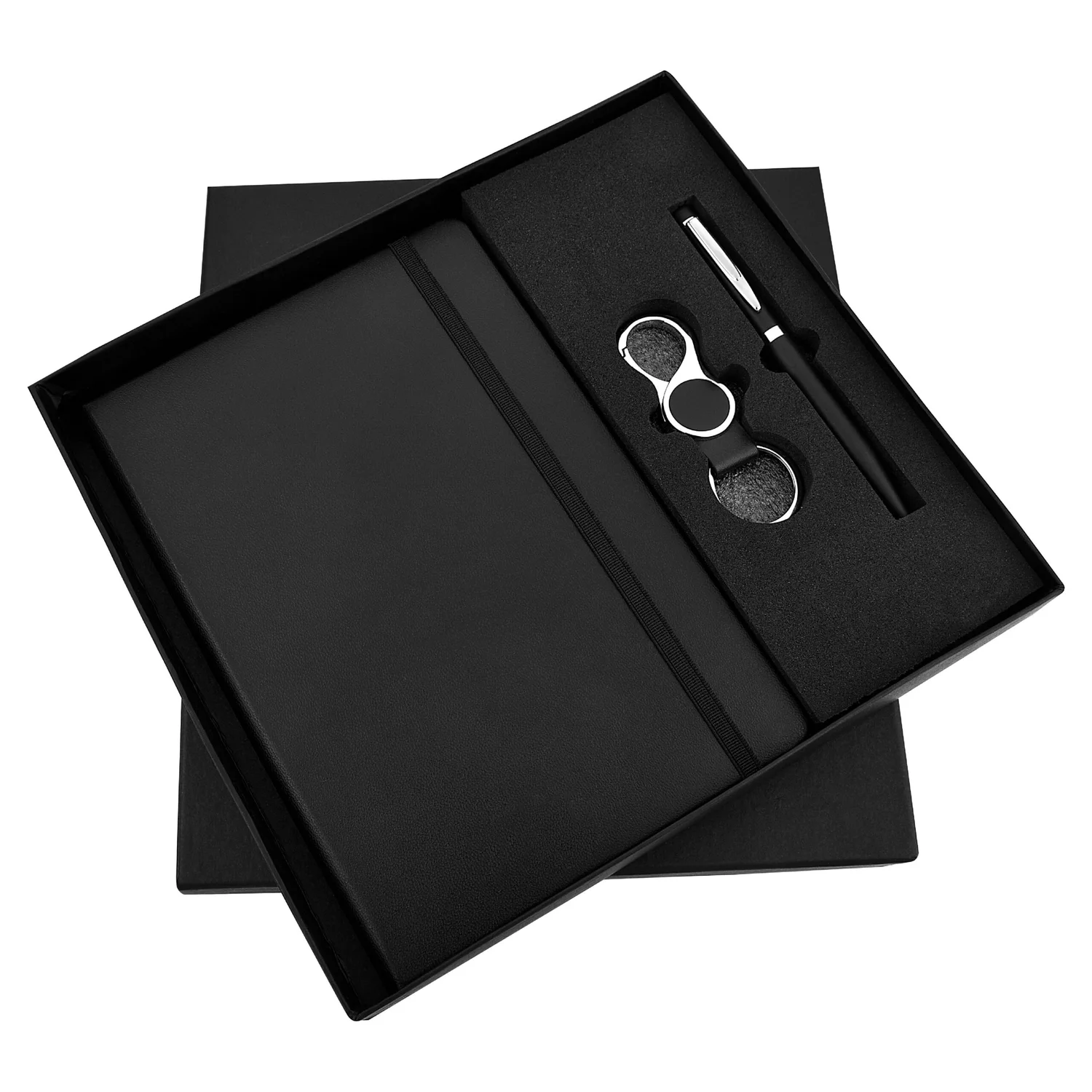
- Branded Notebook + Pen: Encourage productivity while reinforcing company identity.
- Customised ID Badge, Mousepad, or Desk Organiser: These build brand consistency across workstations.
- Eco-Friendly Stationery: For sustainable companies, include cork or bamboo-based pens and diaries.
- Company Swag (to build pride and culture)

- T-Shirt, Hoodie, or Cap with Company Logo: Helps the employee feel part of the tribe.
- Branded Mug or Water Bottle: A practical item that sits on the desk and reminds them of your brand daily.
- Canvas Tote Bag or Backpack: For those commuting or working in hybrid setups.
- Tech Essentials (for early productivity)
- Laptop or Tablet (if applicable): Preloaded with the required software and tools.
- Headphones or Wireless Mouse: Especially important for remote and tech-based roles.
- Software Licenses or Email Access Cards: Clearly labelled, so employees don’t waste time figuring things out.
- Welcome Note (to make it personal)
- Handwritten Card or Printed Note from Leadership: A simple message from the CEO or manager can go a long way in making the employee feel seen.
- Mention of Their First Milestones: Adding a line like “We’re excited to see your impact on the product team” makes the message relevant and meaningful.
TapWell provides printed, personalised cards with your branding or a signature touch.
- Fun and Personal Touches (to build emotional connection)
- Desk Plant or Succulent: Adds warmth to their workspace.
- Snack Box or Chocolates: Brings joy and surprise to the kit.
- Team Merch (e.g., Stickers, Socks, Badge Pins): Reflects team spirit and shared identity.
- Access to Spotify Playlist or Team Booklet: Adds personality and shows thoughtfulness.
TapWell curates custom gift hampers under ₹1000 that combine fun, wellness, and utility in a single box.
Here are example kits you can build using TapWell’s catalog:
For Corporate Roles

Suggested Items:
- Premium notebook + pen
- Laptop sleeve
- Welcome letter
- Coffee mug
- Chocolate box
- Branded calendar
For Remote or Tech Teams
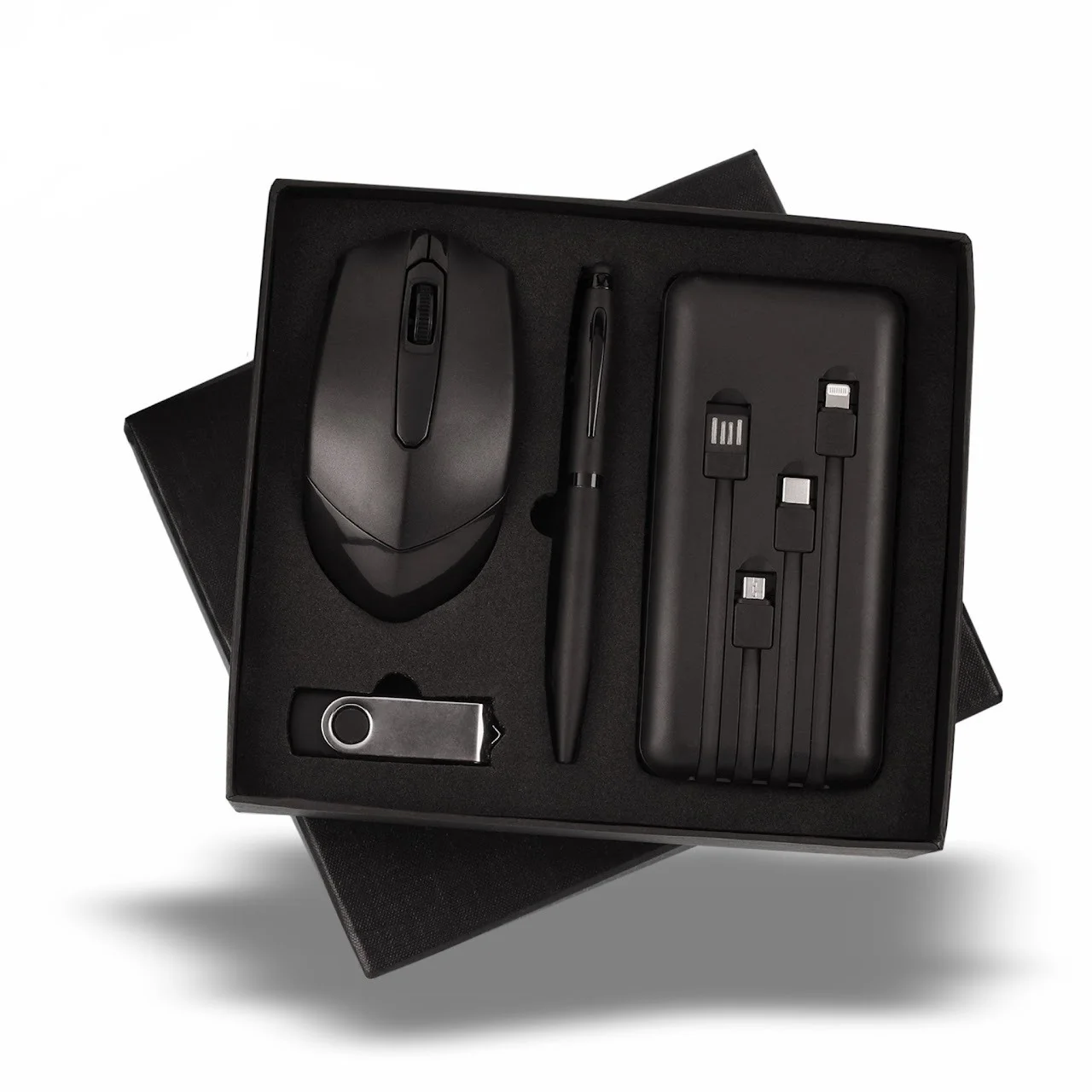
Suggested Items:
- Wireless mouse or earbuds
- Setup guide + login credentials
- Powerbank
- Pendrive
- Pen
At Tapwell, we provide companies with multiple remote employee onboarding gifting options. Our focus is to make your new hire feel welcomed on their first day.
For Creative / Culture-Focused Teams
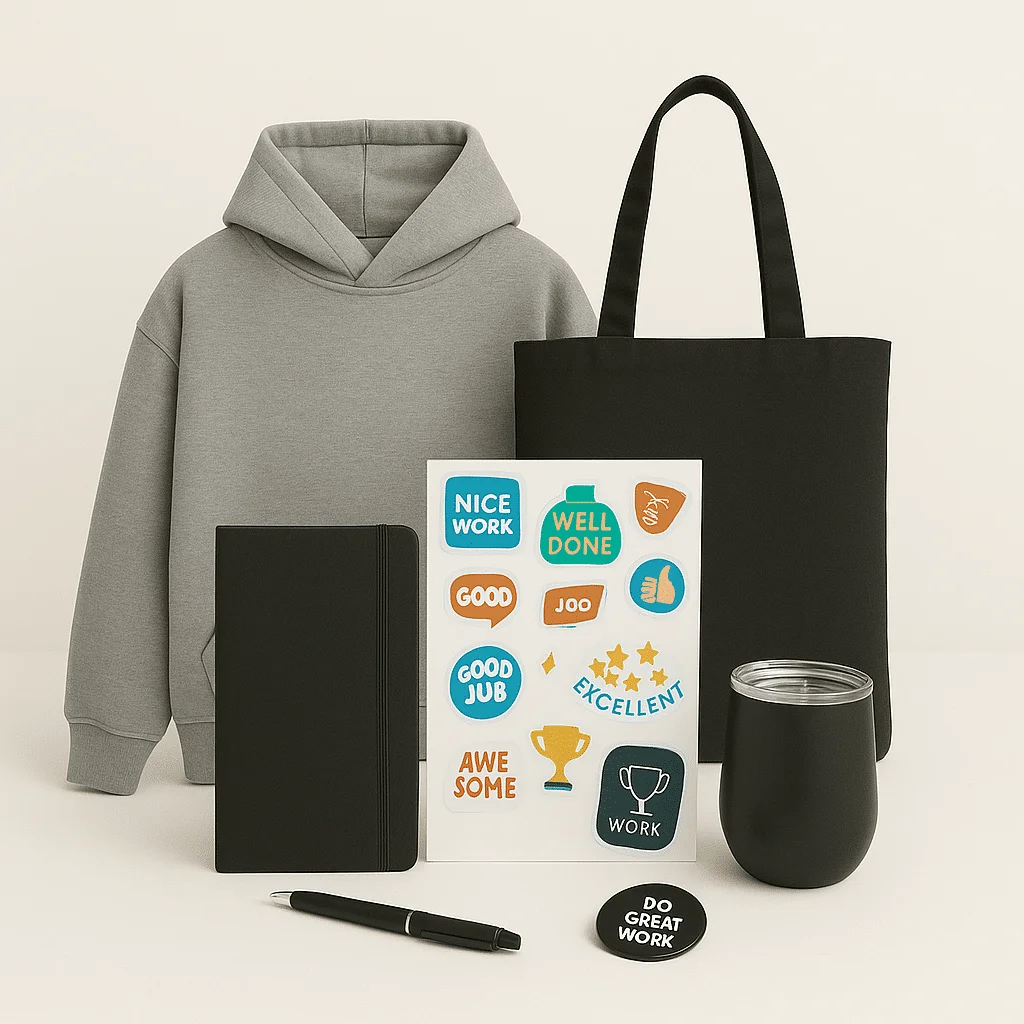
Suggested Items:
- Custom socks or tote bag
- Team sticker pack
- Desk organizer
- Welcome postcard with a personal note
- “Meet the Team” playbook
You can try different onboarding gifting options with us that ensure your employees feel confident and happy.
TapWell simplifies employee onboarding by offering over 4,300 customizable welcome kit items, from branded stationery to tech accessories.
TapWell helps companies create thoughtful, branded kits that make new hires feel valued from day one, with their end-to-end support, personalised packaging, doorstep delivery, and low minimum orders. More than 400 top brands trust us for customising and delivering unique employee welcome gifts.
💡 Related resources
- How to Measure Employee Engagement
- Employee Engagement Activities Calendar with Gifting Ideas
- Team Building Activities For Employees & Corporate
Final words
Your onboarding kit is more than a box of items; it’s the beginning of your employee’s journey with your company. A thoughtful, well-branded kit can make new hires feel welcomed, confident, and connected from day one. It’s a small gesture that creates a lasting impression and sets the tone for their experience ahead.
👉 If you’re looking for inspiration or a place to start, feel free to explore our employee onboarding checklist.